Your prop firm accounts,
under control.
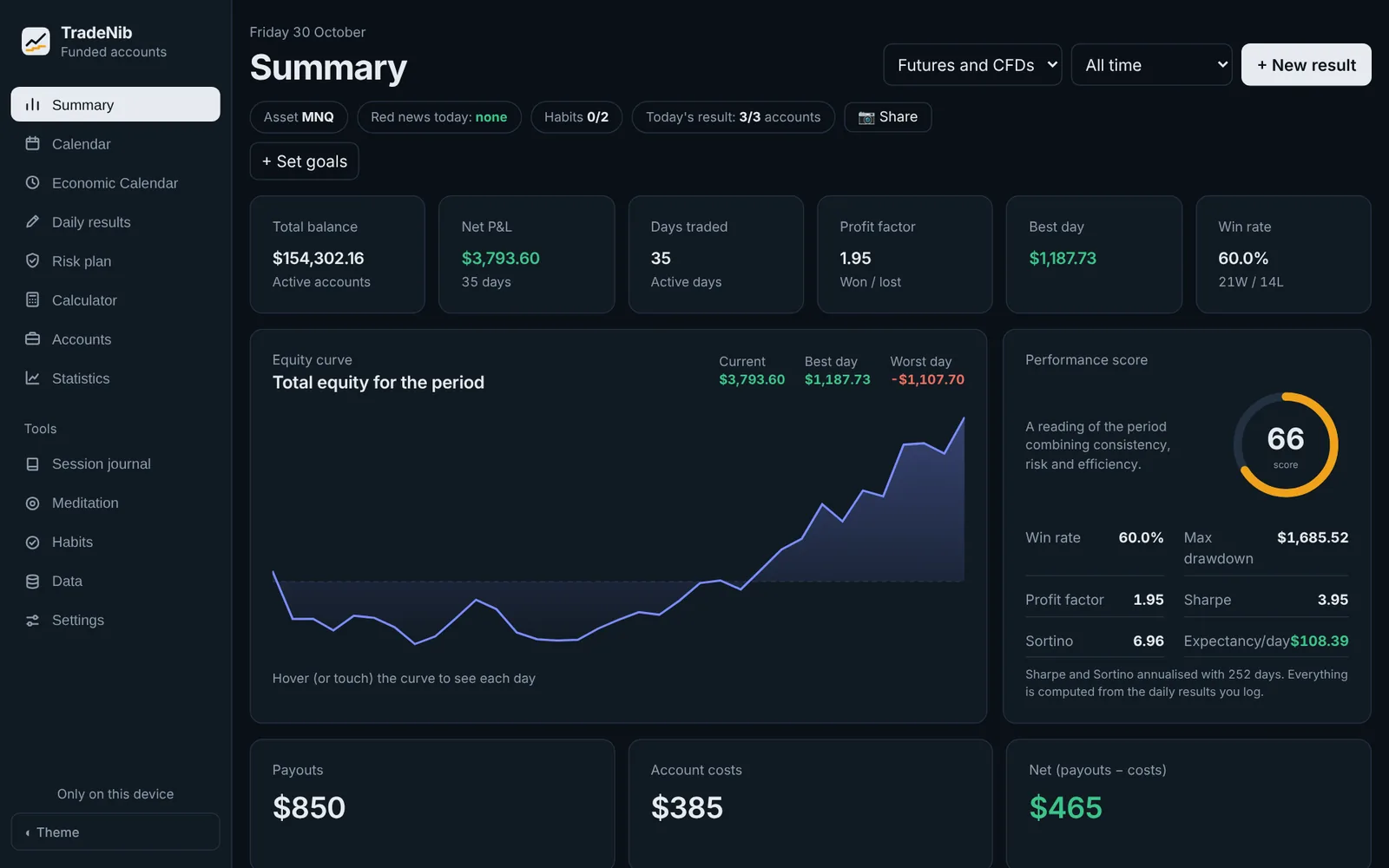
TradeNib is the trading journal for prop firm traders. Log your day and it tells you how much drawdown room you have left, how much to risk today and what is costing you money.
Templates with the official rules of
The trading journal built for prop firm accounts
If you trade with prop firms, you know an account is rarely lost to a single bad trade: it's lost by not knowing how much room you have left, by breaking a consistency rule or by trading right into the news. TradeNib brings your accounts, your firm's rules and your results together in one place, and does the maths for you.
Goodbye spreadsheets
All your Lucid, Tradeify, Topstep, FTMO… accounts on one screen.
Drawdown, worked out for you
EOD, intraday, trailing or static: TradeNib tracks your floor day by day.
Your plan's rules, at hand
Target, daily limit, consistency and payout conditions for every plan.
Get started in 3 steps
Nothing to install and no broker connection. Your first account is ready in two minutes.
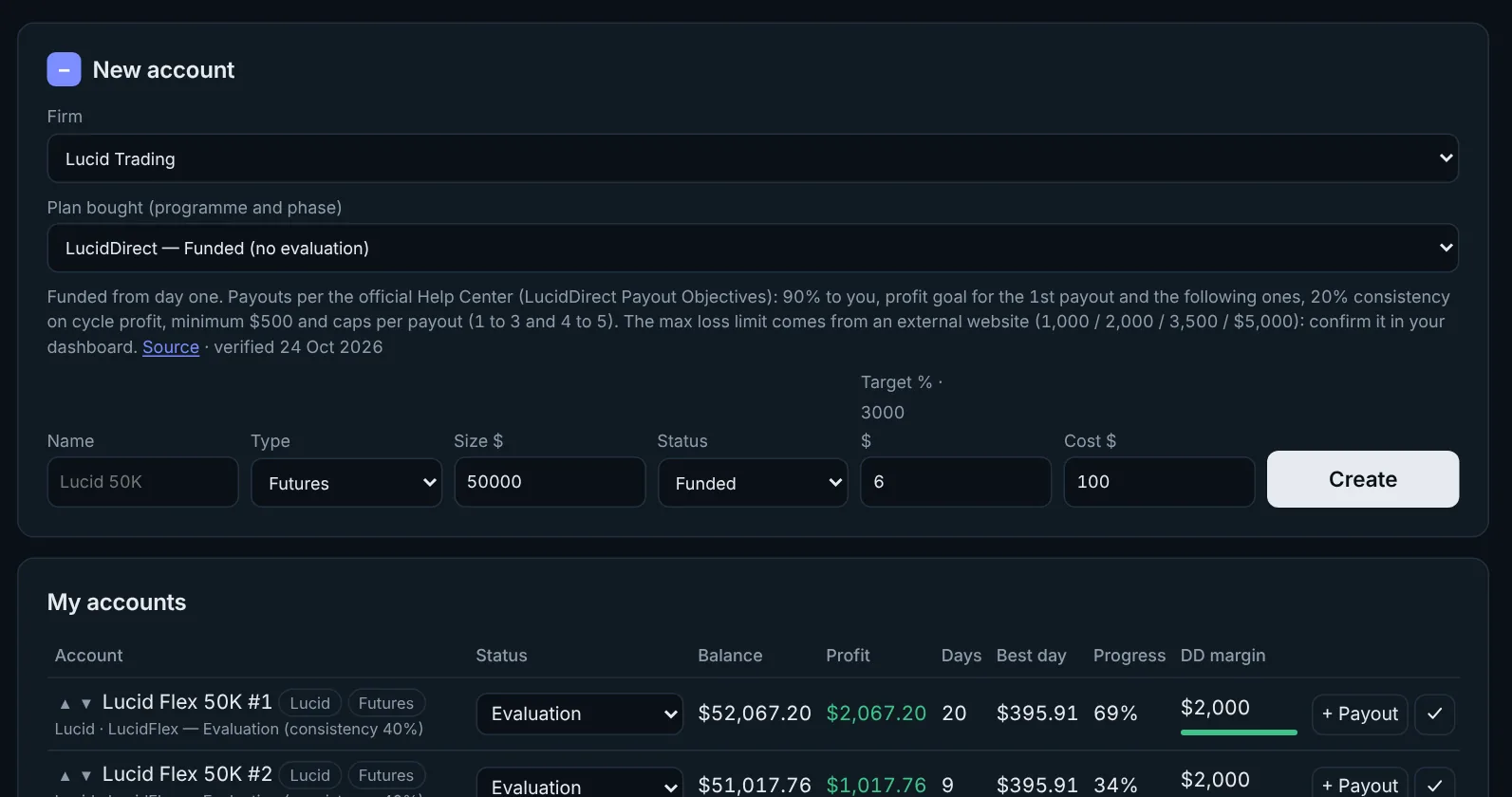
Add your accounts
Pick the firm and the plan you bought. The rules fill in by themselves: target, drawdown, daily limit, consistency and split.
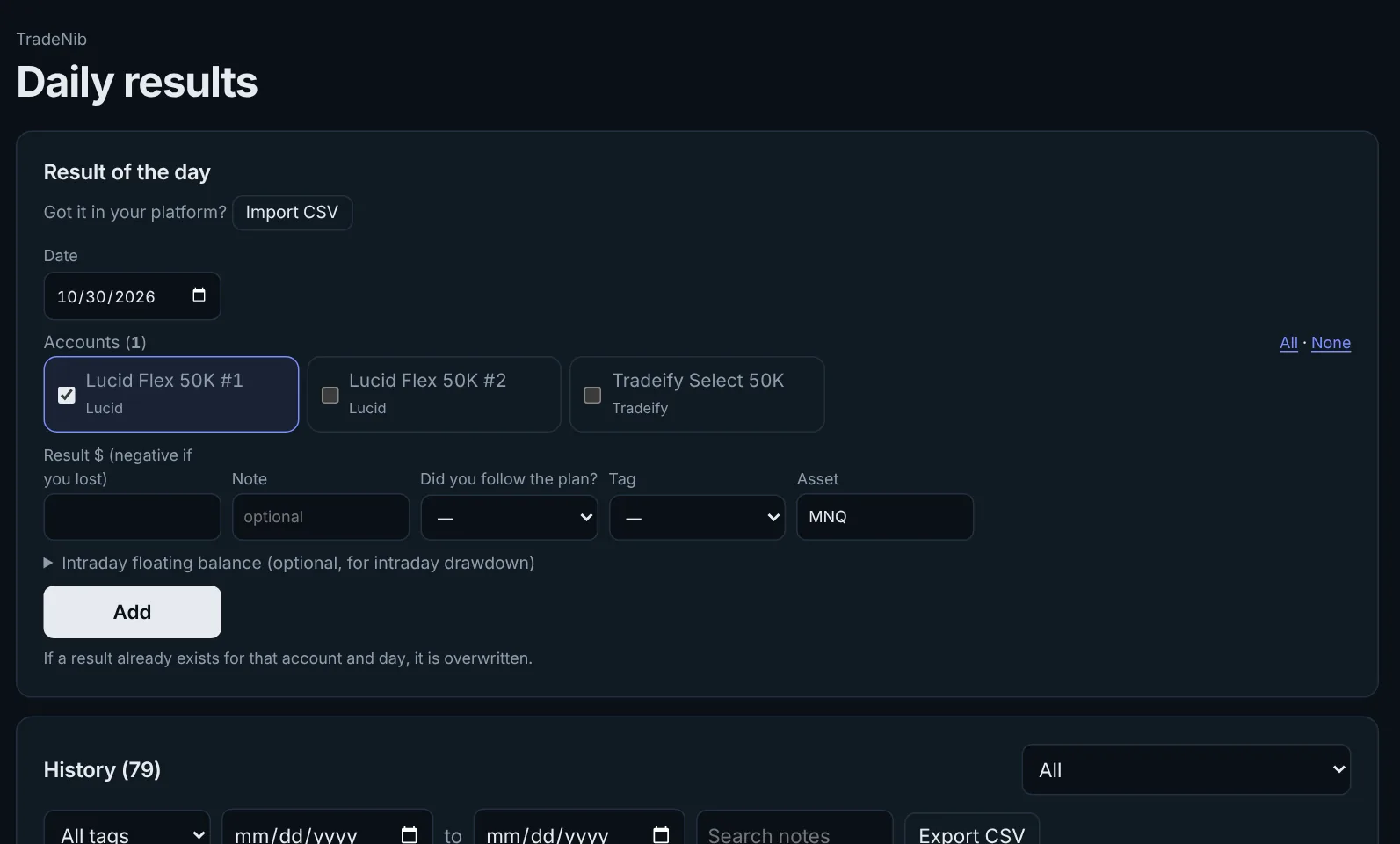
Log your day
Enter the result in seconds, for one or several accounts at once, or import the CSV from Tradovate, NinjaTrader, ProjectX or MetaTrader.
See your room and improve
Instantly see how much room is left on each account, how much to risk tomorrow and which patterns lose you money.
Everything you need to stop blowing accounts
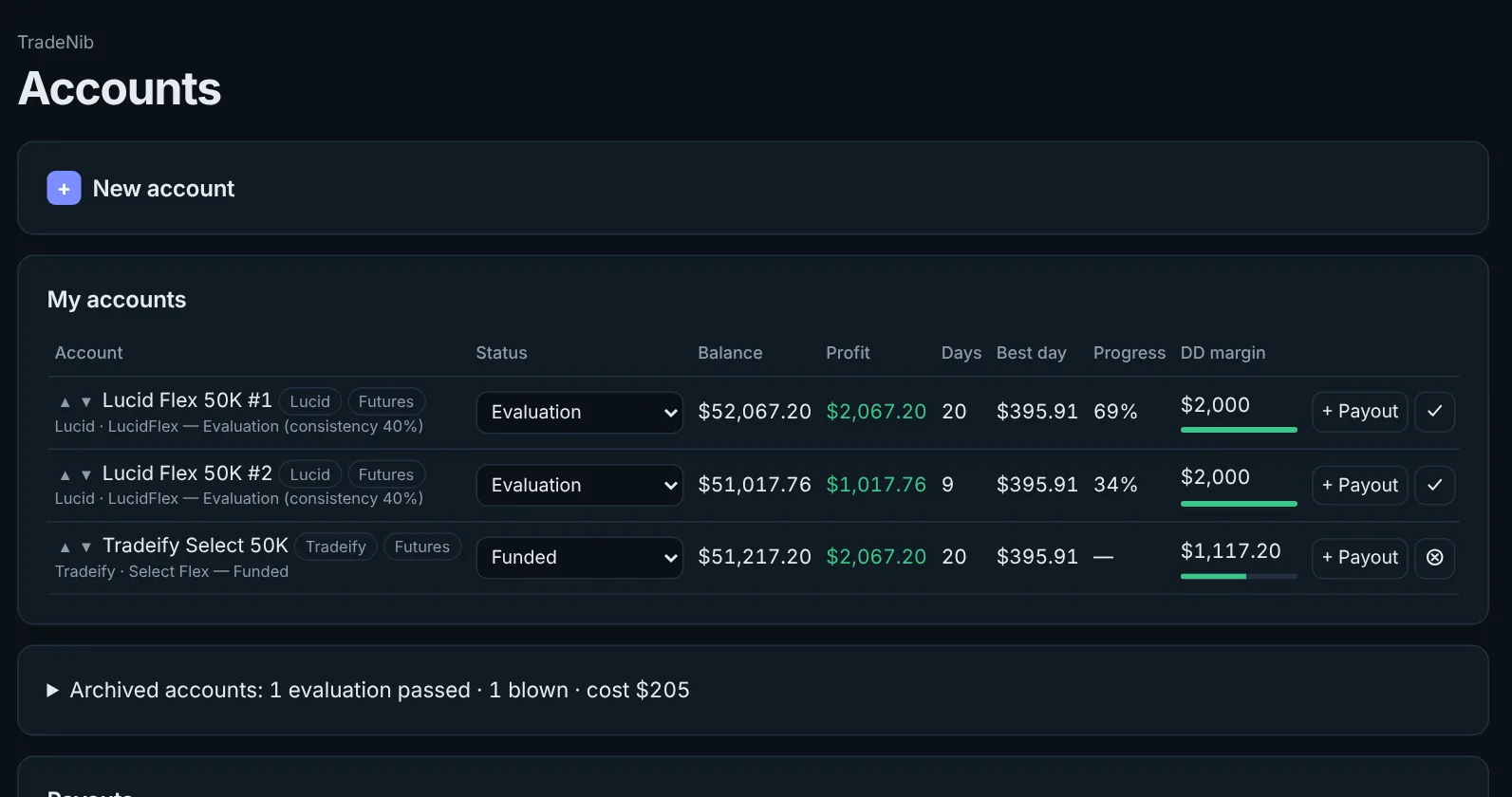
Know how much room you have before you blow the account
Every account shows its drawdown room, progress to target and days traded. It turns amber and red as you approach the limit.
- EOD, intraday, trailing and static drawdown
- Floor lock after the first payout
- Several copied accounts at once
Trade with a plan every day
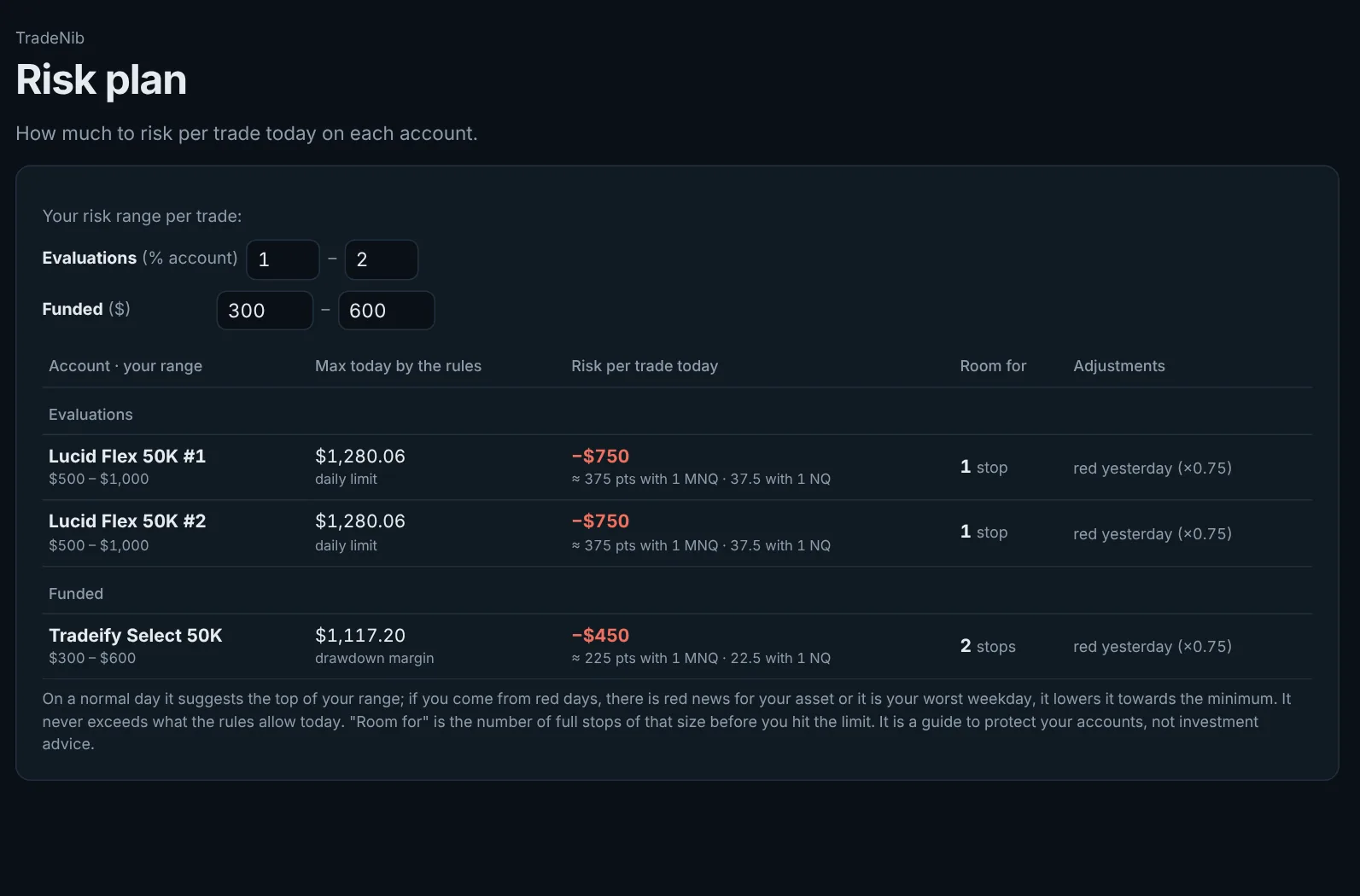
Set your risk range for evaluations and funded accounts, and TradeNib suggests today's figure: it lowers it after red days or around major news, and never goes past what the rules allow.
- Risk per trade, per account
- Contract calculator based on your stop
- How many stops fit today
Never get caught by the news
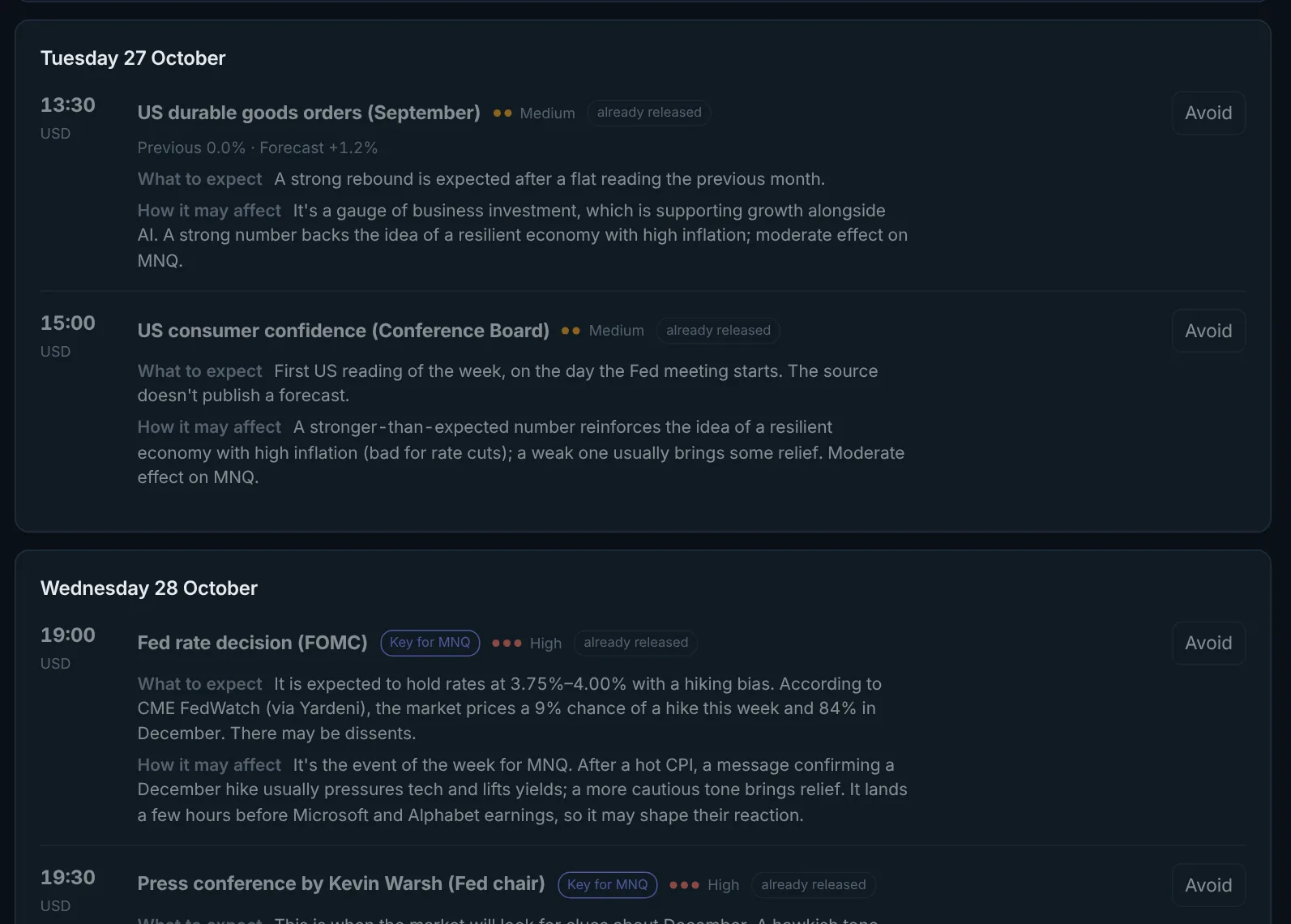
This week's economic calendar with what to expect from each release and how it may move your asset. It alerts you a few minutes before every red-folder event.
- Filtered for your asset (MNQ, NQ, ES, gold, FX…)
- Alert before high-impact news
- Your firm's news rules
Learn from your own data
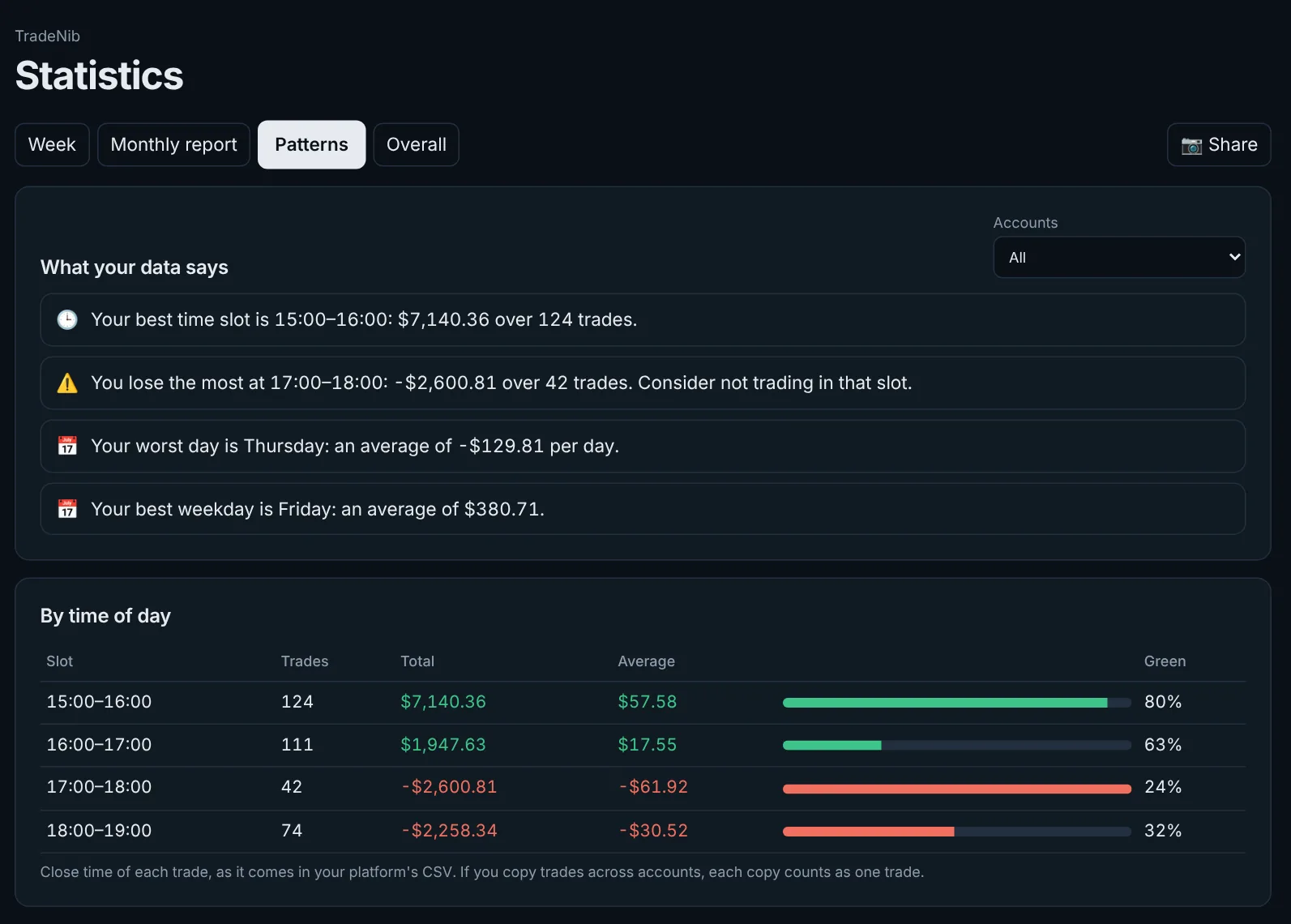
TradeNib analyses your history and shows your best and worst time of day, which weekday costs you money and what happens when you overtrade.
- Results by hour and weekday
- By asset and by tag (FOMO, revenge…)
- Guided weekly review
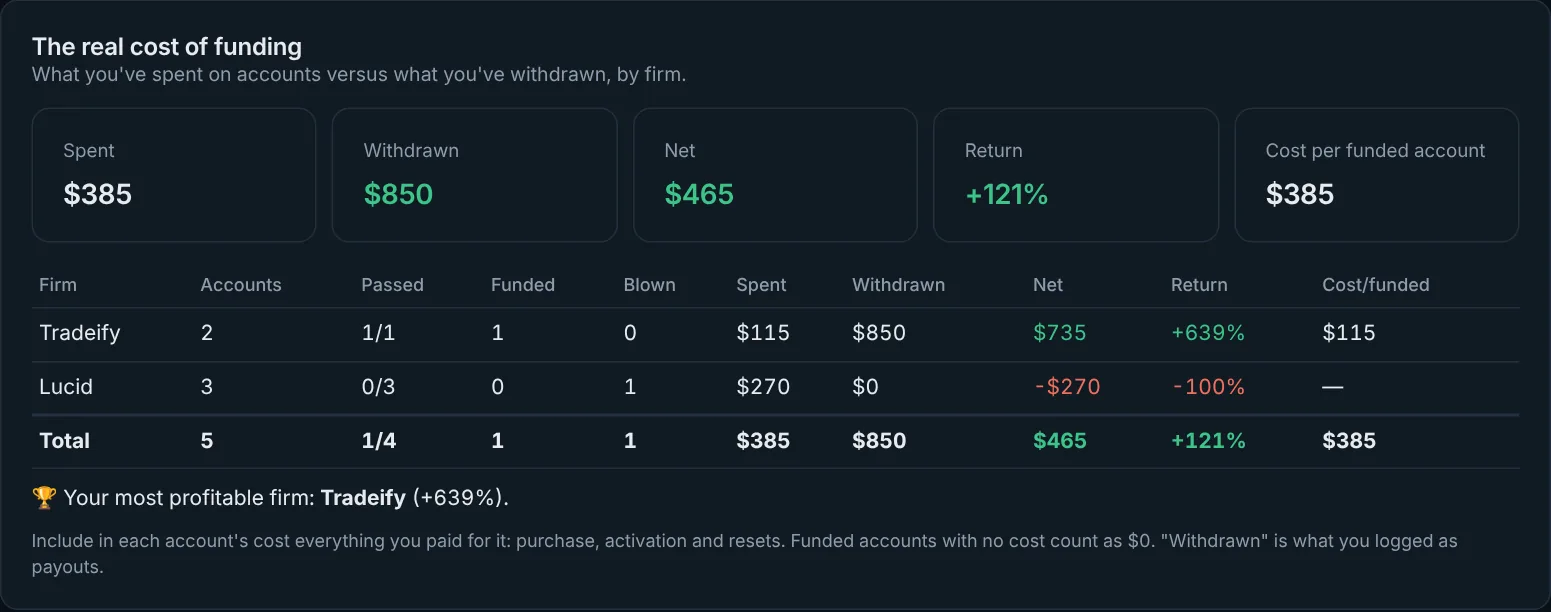
Is prop trading paying off?
What you've spent on evaluations, resets and activations versus what you've withdrawn, by firm. So you know which prop firm really works for you.
- Spent, withdrawn and net
- Return by firm
- Cost per funded account
And also
Import your CSV
Tradovate, NinjaTrader, ProjectX and MetaTrader, several accounts at once.
Monthly PDF report
Your month on one page, ready to save.
Share your results
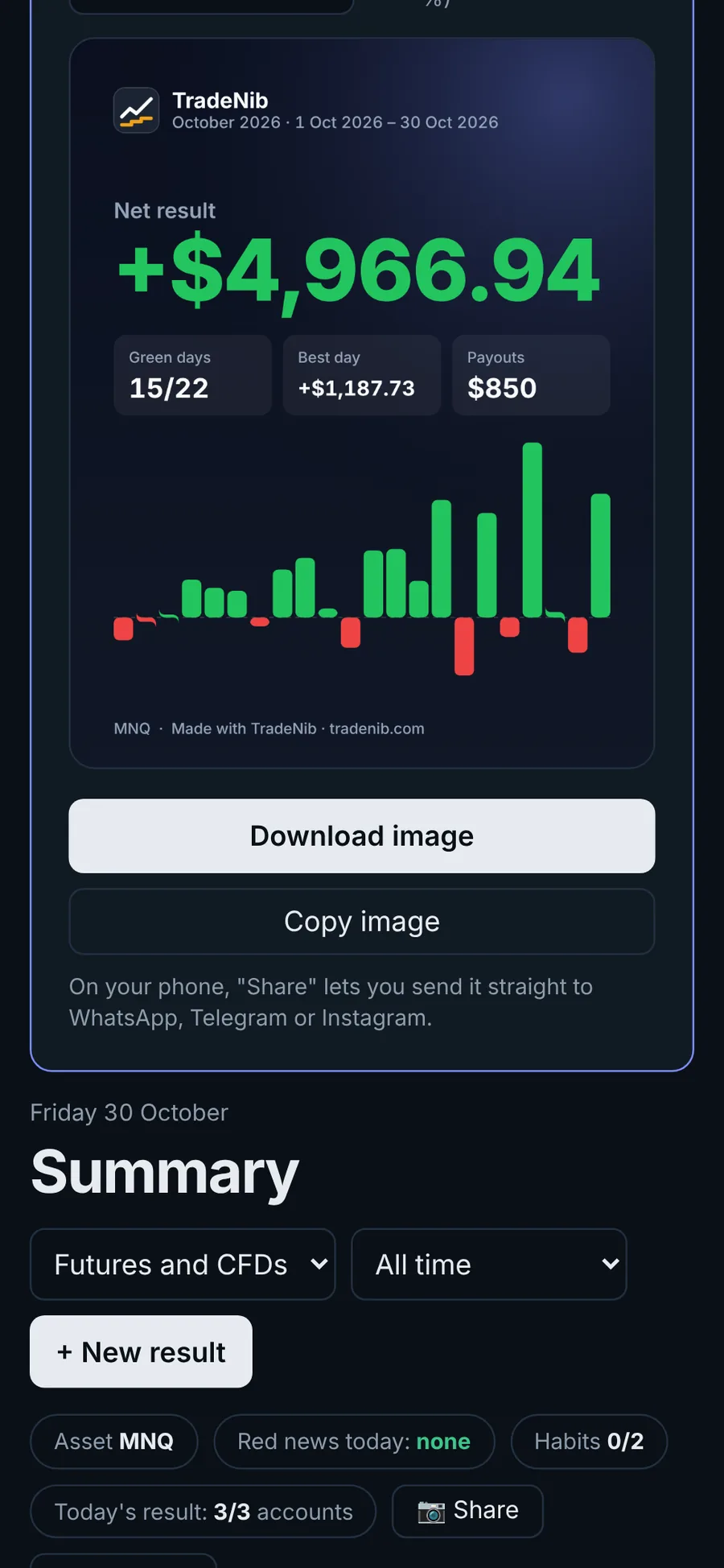
An image for Instagram or WhatsApp, with or without amounts.
Daily reminder
So you never forget to log your day, even with the app closed.
Habits and session journal
Before and after trading, with guided meditation.
Goals
Set targets for green days, discipline or profit.
In 3 languages
Spanish, English and Portuguese.
Light and dark theme
Follows your phone or your choice.
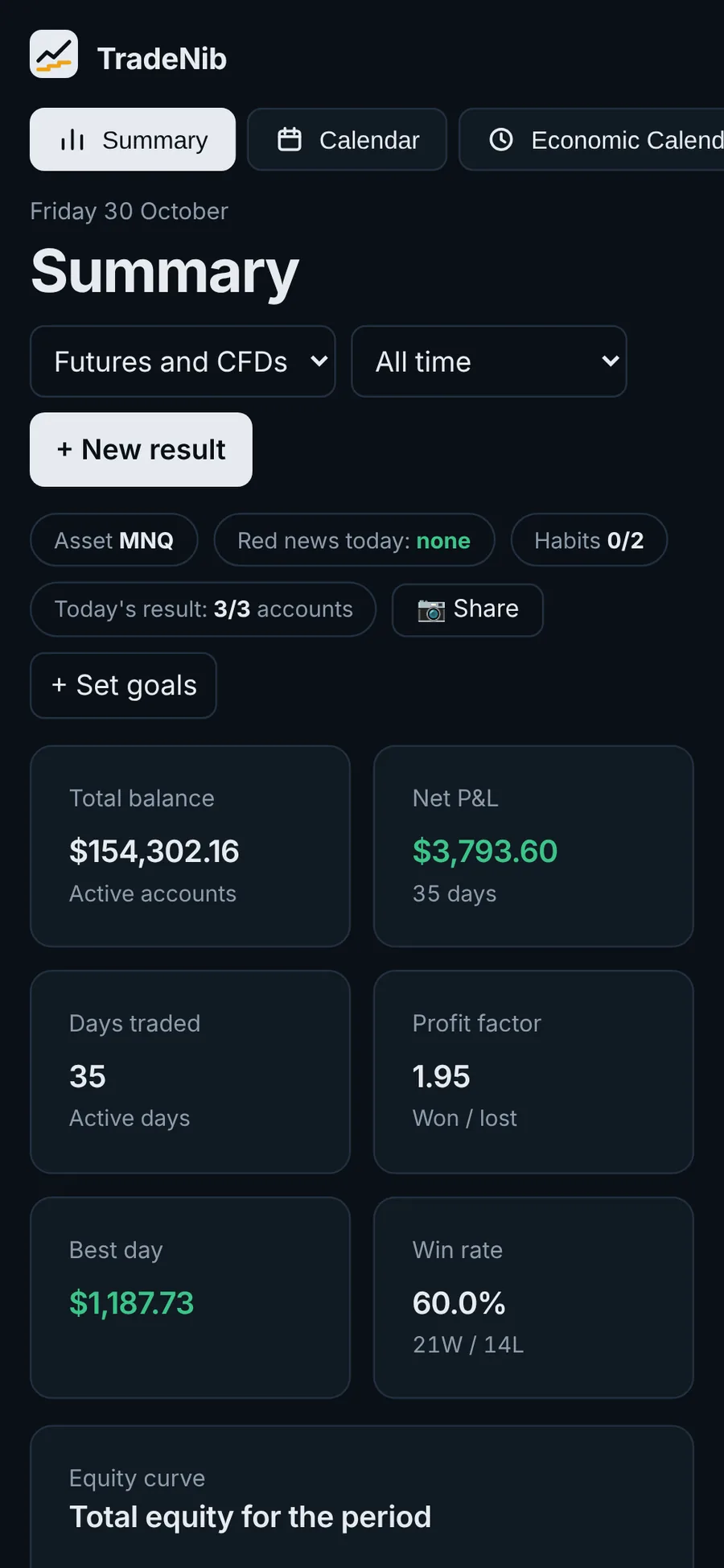
On your computer and your phone
Use TradeNib from any browser or install it on your phone. Your data syncs with your account, so you log on your phone and see it on your computer.
Web
Works on Windows, Mac and any browser. Nothing to install.
Android app
Coming soon to Google Play, with alerts even when the app is closed.
Synced
Your accounts and results, the same on every device.
Rules for 44 prop firms, preloaded
Templates come from each firm's official pages and show when they were verified. If your firm is missing, create the account by hand in a minute.
Futures
- Apex Trader Funding
- Blue Guardian Futures
- DayTraders
- E8 Futures
- Earn2Trade
- FTMO
- Finotive Futures
- Funded Futures Family
- FundedNext Futures
- Goat Funded Futures
- Lucid Trading
- My Funded Futures
- NYS Markets
- Take Profit Trader
- The Trading Pit Futures
- The5ers Futures
- Top One Futures
- Topstep
- Trade The Pool
- TradeDay
- Tradeify
- Traders Launch
CFDs
- AquaFunded
- Atmos Funded
- Bem Funding
- Blue Guardian
- BrightFunded
- City Traders Imperium
- Crypto Fund Trader
- E8 Markets
- FTMO
- FXIFY
- Finotive Funding
- Fintokei
- FundedNext
- FundingPips
- Goat Funded Trader
- Instant Funding
- Lark Funding
- Maven Trading
- Moneta Funded
- NYS Markets
- Orion Funded
- The5ers
- Top One Trader
- WSFunded
Free during the beta
We're in beta and want your feedback. While it lasts, you get every feature for free, no card needed.
- Unlimited accounts
- Templates for 44 prop firms
- Risk plan and calculator
- Economic calendar with alerts
- Patterns and real cost of funding
- Web (Android app soon)
Your data is yours
No platform passwords
We never ask for your broker or prop firm username or password.
Export or delete any time
Download everything as JSON or CSV, or delete your account and data in one click.
Independent
Not affiliated with any prop firm. Rules are a guide: your firm's dashboard always has the final say.
Want your trades logged automatically?
We're working on automatic sync with your platform: results, balances and rules instantly, without logging anything. Leave your email and we'll let you know when it's ready.
Frequently asked questions
Does it connect to my broker or platform?
Not yet. You log the day's result by hand or import your platform's CSV. We're working on automatic sync: leave your email above and we'll let you know.
Does it work for futures and CFDs?
Yes. Each account is marked as futures or CFD and TradeNib applies the matching rule type, like the trailing drawdown of many futures firms or the static one of most CFD firms.
What if my firm or plan is missing?
Create the account by hand and enter your limits. You can also ask us to add it from the app.
Are the rules always up to date?
We check them on the official websites and every template shows its verification date. Firms change them often, though: always check your dashboard.
Can I use it on my phone?
Yes. The web works on mobile and can be installed on your home screen. The Android app is coming soon to Google Play.
How much does it cost?
It's free during the beta, with every feature. If a paid plan comes later, we'll announce it well in advance.
Is it financial advice?
No. TradeNib is a record-keeping and calculation tool. It doesn't give investment recommendations.
Your next account, under control
Create your free account, add your plan and log your first day.
Create free account →